SINAR TECHNOLOGY & CAPACITANCE METHOD OF MOISTURE DETERMINATION
SInar Moisture Analyzer Support, including custom calibrations
SINAR TECHNOLOGY & CAPACITANCE METHOD OF MOISTURE DETERMINATION
(CREATING MOISTURE CORRELATION CURVES)
Sinar Technology Moisture Analyzers are used primarily for the evaluation of specific properties in agricultural commodities, including moisture determination, density, and temperature. Because moisture determination plays such an important role in the quality, shelf life, transportation and final costs of such goods, the Sinar Family of moisture analyzers have become internationally recognized as the workhorse of quick and accurate moisture determination.
Although the technology and logic differs slightly with the different types of Sinar Moisture Analyzers, they all do essentially the same thing, the primary difference being how the sample comes in to contact with the sensors on the instrument. Capacitance based analyzers generally have to collect information on a samples mass, density, chemical composition, and temperature, to be able to provide an accurate moisture reading.
For hygroscopic, free flowing, sample types, the speed, accuracy, and relative low cost of capacitance type analyzers, make them an increasingly popular choice.
FIRST STEP
The first step is to determine if the commodity being tested is compatible with a capacitance based analyzer. As long as the commodity is hygroscopic (picks up or gives off moisture readily) , free flowing, and of uniform density and chemical composition, it should be suitable. Grains, seeds, feeds, and even some plastic products are examples of such commodities. The easiest way to tell if a material is suitable, is to put the same amount in the cell repeatedly, and check for consistent readings with the same sample, and different consistent readings with a higher or lower moisture sample.
SECOND STEP
Next a collection of samples with known and varying moisture contents, needs to be obtained. Place each sample in the Sinar, and obtain a raw data reading (Referred to as Code 0 Reading). Then the collection of raw data readings, and corresponding moisture percentage values, are entered in to the instruments software (MNET) via a computer. (See right)
TIPS
A sample can be stored briefly in small jar, inside an air tight container like this cigar jar (FIG 1), with water at the base to elevate a samples moisture content, or alternatively dehydrated to create a sample with lower moisture. Using the included coarse sieves, and some other components from the manual Particle sizer, fitted with PVC, a ball valve, and some hose clamps, a crude but effective fluid bed dryer (FIG 2) can be constructed using the low setting on a standard hair dryer to provide the heated air flow. Advanced fluid bed dryers (FIG 3) are now able to dry materials while simultaneously plotting a moisture curve. Fluid bed dryers operate by suspending the particles in a heated and agitated air pattern, which allows for uniform drying.
FIG 1 FIG 2 FIG 3
While working with hygroscopic samples try to store them at room temperature, in sealed glass jars with as little head space as possible.
When obtaining moisture values for the different samples, either by oven, moisture balance, or Karl Fischer,
be sure to use a representative sample. The larger the sample, (within reason) the better the results will be.
Example: You can't really take one raisin out of a box, and expect it to be representative of the whole box. Moisture levels vary within a
sample to some extent. The moisture in the middle of a pile is likely to be higher than at the top.
If using a loss on drying type of reference method, try to ensure uniform drying by preparing the sample. Nuts, grains, pasta, etc... can be ground.
Before starting, be sure to check with us if we already have a calibration for your commodity.
EXAMPLE
SAMPLE # OVEN % CODE 0
1 12.5 24.9
2 13.5 27.3
3 16.5 37.2
NOTE: The more data points you have the more accurate the moisture curve. Before entering the data in to MNET, it sometimes helps to put the values in to an ExCel File, with two columns.Then by using the chart function in ExCel
you can create an X,Y Chart.This helps in
editing out stray data points, and in forecasting the curve out past known values.Then by applying the curve formula to the X Values, a new set of data points reflecting the ExCel Curve will be available for entry in to MNET.
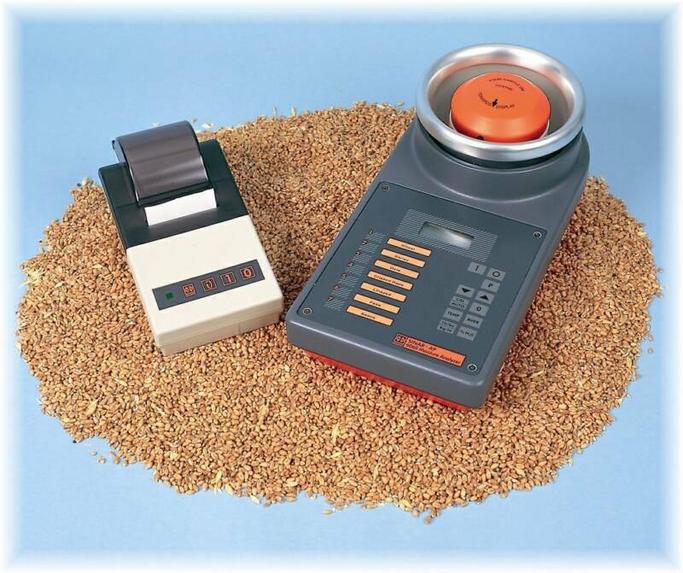
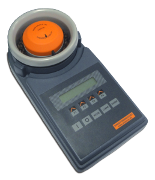
The weight corrected capacitance type of instrument, like this SINAR BeanPro, uses an internal balance to determine mass. Samples with less than 3/4" particle diameter, and uniform density, work best in this type of benchtop unit. Examples are coffee beans, some animal feeds, and grains.
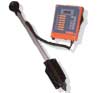
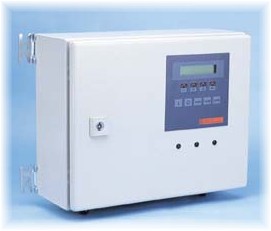
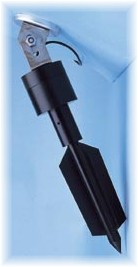
The probe type of instrument, like this SP 6600, is designed for field use where it is possible to cover the sensor with about a 12" Diameter amount of sample, like the back of a grain truck. or by inserting in to a commodity sack. Probes are also useful for continuous inline moisture measurement. The DRYPRO can be outfitted with up to four sensors, each giving continuous moisture and temperature data.
For larger diameter sample types like cocoa beans, or large nuts, this variation of the probe type of instrument, the LSA works best, again by assuming a fixed volume to determine mass.
What distinguishes Sinar Instruments from many other types of capacitance based moisture analyzers, is the availability of MNET user software, that allows the user to access the programming functions of the unit, and create their own proprietary calibrations, instead of having to send samples in to the manufacturer.
CREATING SAMPLE MOISTURE CURVES FOR CAPACITANCE ANALYZERS
The primary or reference method by which moisture is generally determined, especially with agricultural commodities, is loss on drying, or thermo-gravimetrics. A sample is weighed, and then placed in an oven at a very low temperature, over a fairly long period of time
(Sometimes as much as 24 hours), to help reduce volatile (oils and other evaporative compounds) burn off.
After repeated heating and weighing, the rate of evaporation will change, and slow down substantially, as the critical moisture point is approached.
It should be noted, that it is the residual or surface (chemically unbound) moisture that is generally being measured here. The sample is then weighed, and the result subtracted from the original weight, giving the moisture as a percentage of the total weight.
In a busy manufacturing environment, this process quickly becomes impractical. Moisture balances (Thermogravimetrics) can produce similar, or better results, in a reduced time frame, but also experience the same concerns with regards to volatiles. (Many moisture balances now have the capability to set the temperature.) They are programmed to stop heating the sample when the rate of drying slows beyond a preset point, which may leave out some of the moisture content.
Most capacitance based analyzers emit an rf electrical signal, and it's how that electrical signal reacts with the available moisture in the sample that provides the reading. The popularity of these instruments is based on their ability to achieve useable accuracy in a substantially reduced time frame, usually in seconds.
As with most indirect methods, although the instrument reads the reaction of the electrical signal as it comes in to contact with water, it doesn't have the intuition to convert that reading in to a useable moisture percentage reading, so a correlation curve needs to be programmed in to the instrument.
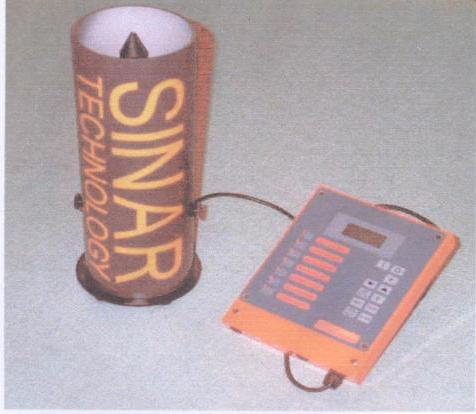
A fixed volume cylindrical sample cell, provides information on a samples mass, by using an average density value for the crop sample in this inexpensive AGRIPRO.
A screw down compression cap is used to create consistent packing density, which may not be desirable with repeated testing.